Best Website Monitoring Tools 2026: Complete Comparison
Best Website Monitoring Tools 2026: Complete Comparison
Choosing the right website monitoring tool can make the difference between catching downtime before your users notice and scrambling through angry support tickets at 3 AM. With dozens of options ranging from free tools to enterprise platforms, finding the right fit for your needs takes research.
This guide compares the best website monitoring tools in 2026, covering features, pricing, strengths, and ideal use cases. Whether you're a solo developer monitoring a side project or a DevOps team managing critical infrastructure, you'll find recommendations that fit.
Quick Comparison Table
Tool | Starting Price | Free Tier | Check Interval | Best For |
|---|---|---|---|---|
PingHarbor | €15/mo | 3 monitors, 5-min | 1 minute | AI-first developers, automation users |
UptimeRobot | Free | 50 monitors, 5-min | 1 minute (paid) | Budget-conscious projects |
Pingdom | $10/mo | Trial only | 1 minute | Enterprise teams, SLA reporting |
BetterUptime | $20/mo | 10 monitors | 30 seconds | Modern teams, incident management |
StatusCake | $24/mo | Unlimited, 5-min | 30 seconds | High volume monitoring |
Freshping | Free | 50 checks | 1 minute | Small teams, simple needs |
Checkly | $7/mo | 100 checks | Variable | API & browser monitoring |
Uptime Kuma | Free (self-hosted) | N/A | Configurable | Privacy-focused, self-hosters |
Detailed Reviews
1. PingHarbor — AI-Powered Monitoring for Developers
Pricing: Free tier (3 monitors, 5-min checks) | Standard €15/mo (25 monitors, 1-min checks)
What makes it different:
PingHarbor is designed for developers who build with AI and automation. Unlike traditional monitoring tools that require manual dashboard checking, PingHarbor integrates directly into your AI workflow through Claude Desktop (MCP integration) and automation platforms like n8n.
Key Features:
AI-native interface: Query uptime, create monitors, and check incidents in natural language through Claude Desktop
Automation-first: Native n8n integration for incident workflows (auto-create Jira tickets, trigger deployments, etc.)
Developer-friendly: Clean API, webhook notifications, content verification
SSL monitoring: Certificate expiration alerts
Global checks: Multi-region monitoring
Nautical-themed UI: Thoughtful design that doesn't feel like enterprise bloatware
Strengths:
Perfect for AI-first developers using Claude, Cursor, or OpenClaw
Automation integration is genuinely useful (turn incidents into workflows)
Generous free tier for testing
Competitive pricing without feature gutting
No sales calls or enterprise friction
Limitations:
Newer platform (smaller community vs. UptimeRobot)
AI features require Claude Desktop or compatible tools
Limited advanced features compared to enterprise tools (no anomaly detection, synthetic transactions)
Best for: Indie hackers, AI-savvy developers, n8n power users, SaaS founders who want monitoring that integrates with their modern tech stack.
Verdict: If you're building with AI tools or automation platforms, PingHarbor offers unique integration that saves time. For traditional monitoring needs, it's a solid mid-tier choice with good value.
---
2. UptimeRobot — The Budget Champion
Pricing: Free (50 monitors, 5-min checks) | Pro $7/mo (50 monitors, 1-min checks)
What makes it different:
UptimeRobot has been the go-to free monitoring solution for years. The generous free tier (50 monitors!) makes it perfect for developers monitoring multiple side projects without breaking the bank.
Key Features:
Massive free tier: 50 monitors with 5-minute checks
Status pages: Public or private status pages included
Multiple check types: HTTP(S), ping, port, keyword monitoring
Alert channels: Email, SMS, Slack, webhooks, and 10+ integrations
Simple interface: No learning curve
Strengths:
Unbeatable free tier
Reliable uptime (they've been around since 2010)
Simple to set up and use
Good enough for most small-scale needs
Limitations:
5-minute checks on free tier (might miss short outages)
UI feels dated compared to modern tools
Limited advanced features (no API transaction monitoring)
Status pages are basic
Paid plans feel expensive for what you get vs. competitors
Best for: Budget-conscious developers, side projects, agencies monitoring client sites, anyone needing basic monitoring at scale.
Verdict: If you need to monitor many sites for free and don't mind 5-minute intervals, UptimeRobot is hard to beat. For production apps requiring faster checks, consider paid alternatives.
---
3. Pingdom — The Enterprise Standard
Pricing: Starter $10/mo (10 checks, 1-min) | Advanced $85/mo | Enterprise custom
What makes it different:
Pingdom (owned by SolarWinds) is the industry standard for enterprise monitoring. It's feature-rich, reliable, and built for teams that need compliance, SLA reporting, and advanced analytics.
Key Features:
Real User Monitoring (RUM): Track actual user experience, not just uptime
Transaction monitoring: Multi-step user journey tests
Global checks: 100+ probe locations worldwide
Detailed reporting: SLA reports, historical data, performance insights
Integrations: PagerDuty, Slack, VictorOps, and enterprise tools
Strengths:
Trusted by enterprises (compliance-ready)
Deep feature set (RUM, synthetic monitoring, page speed)
Excellent reporting and analytics
100+ monitoring locations
Strong incident management features
Limitations:
Expensive (starts at $10/mo for just 10 checks)
Overkill for simple uptime monitoring
Steeper learning curve
UI feels enterprise-heavy
Check limits on lower tiers feel stingy
Best for: Enterprises, teams with compliance requirements (SOC2, HIPAA), e-commerce sites, mission-critical applications.
Verdict: If you need enterprise features, compliance, or advanced RUM, Pingdom is worth the cost. For indie developers or startups, it's overkill and overpriced.
---
4. BetterUptime — Modern Incident Management
Pricing: Free (10 monitors, 3-min checks) | Pro $20/mo (30 monitors, 30-sec checks)
What makes it different:
BetterUptime is the modern alternative to legacy monitoring tools. Beautiful UI, excellent incident management, and phone call alerts set it apart. It feels like monitoring built for 2026, not 2010.
Key Features:
Phone call alerts: Actually calls you when things break (game-changer for critical alerts)
Incident management: Built-in incident tracking, post-mortems, status pages
On-call scheduling: PagerDuty-style rotations built in
Beautiful UI: Best-looking monitoring dashboard, period
Status pages: Gorgeous public status pages (better than StatusPage.io)
Integrations: Slack, Discord, Telegram, webhooks, and more
Strengths:
Best UI/UX in the monitoring space
Phone call alerts are incredibly useful
Built-in incident management (no need for separate tools)
Fast checks (30 seconds on paid plans)
Generous free tier for testing
Limitations:
More expensive than basic monitoring tools ($20/mo entry)
Focused on incident management (less depth on performance monitoring)
Newer platform (less proven at massive scale)
Best for: Modern dev teams, startups, SaaS companies, anyone prioritizing incident response and on-call management.
Verdict: If you value beautiful UX and integrated incident management, BetterUptime is worth the premium. It's what monitoring tools should feel like in 2026.
---
5. StatusCake — High-Volume Monitoring
Pricing: Free (unlimited monitors, 5-min) | Superior $24/mo (unlimited, 30-sec checks)
What makes it different:
StatusCake offers unlimited monitors even on the free tier, making it ideal for agencies or teams monitoring hundreds of sites. It's less polished than competitors but gets the job done at scale.
Key Features:
Unlimited monitors: Even on free tier (with 5-min checks)
Fast checks: Down to 30 seconds on paid plans
Page speed monitoring: Built-in performance tracking
Domain monitoring: WHOIS, DNS, SSL checks
Global locations: 30+ test locations
Strengths:
Unlimited monitors (unbeatable for agencies)
Affordable paid plans for fast checks
Includes domain/SSL monitoring
No per-monitor pricing (predictable costs)
Limitations:
UI feels dated and clunky
Alerting can be unreliable (occasional false positives)
Documentation is sparse
Support is hit-or-miss
Best for: Agencies managing many client sites, resellers, teams needing high-volume monitoring on a budget.
Verdict: If you need to monitor 50+ sites and don't care about UI polish, StatusCake offers incredible value. For smaller-scale needs, better UX exists elsewhere.
---
6. Freshping — Simple & Free
Pricing: Free (50 checks, 1-min) | No paid tiers (Freshworks cross-sell play)
What makes it different:
Freshping is completely free with no paid tiers. It's Freshworks' entry point to upsell other products (Freshdesk, etc.). For pure monitoring needs, it's a solid free option.
Key Features:
Completely free: 50 checks, 1-minute intervals, forever
Global checks: 10 locations
Status pages: Included
Basic integrations: Slack, webhooks, email
Simple interface: No learning curve
Strengths:
100% free with no limits or tiers
1-minute checks (better than UptimeRobot free)
Clean, simple UI
No credit card required
Limitations:
50 check limit
Basic feature set (no content verification, API monitoring, etc.)
Freshworks branding on status pages
Feels like a loss leader (will it stay free forever?)
Best for: Small teams, side projects, anyone wanting simple monitoring without payment.
Verdict: Great free option if you need 50 or fewer monitors. If Freshping disappeared tomorrow, would you be in trouble? Consider that risk.
---
7. Checkly — API & Browser Monitoring
Pricing: Free (100 checks/mo) | Starter $7/mo | Pro $80/mo
What makes it different:
Checkly specializes in API and browser (Playwright/Puppeteer) monitoring. If you need to test multi-step user flows or validate API responses, Checkly excels where others fall short.
Key Features:
Browser checks: Playwright-based synthetic monitoring
API monitoring: Deep request/response validation
Scriptable checks: JavaScript-based monitoring logic
Developer-focused: CLI, IaC, CI/CD integration
Global locations: 20+ regions
Strengths:
Best-in-class browser automation monitoring
Deep API testing capabilities
Developer-friendly (code-first approach)
Generous free tier for testing
Limitations:
More complex to set up (requires scripting knowledge)
Overkill for simple uptime checks
Pricing scales with usage (can get expensive)
Best for: SaaS apps with complex user flows, API-heavy applications, QA teams running synthetic tests.
Verdict: If you need browser automation or deep API testing, Checkly is the best tool. For basic uptime checks, it's unnecessary complexity.
---
8. Uptime Kuma — Self-Hosted Privacy
Pricing: Free (self-hosted)
What makes it different:
Uptime Kuma is open-source and self-hosted. If you value privacy, avoid SaaS, or want full control, it's the best option—but you manage the infrastructure.
Key Features:
Open source: MIT licensed, community-driven
Self-hosted: Your server, your data
Beautiful UI: Modern, clean interface (better than many paid tools)
90+ integrations: Slack, Discord, Telegram, email, and more
Status pages: Built-in public status pages
Strengths:
Completely free (you pay hosting costs)
Full control and privacy
No vendor lock-in
Active community
Modern UI rivals paid tools
Limitations:
You manage updates, backups, uptime of the monitoring tool itself
No global monitoring locations (checks run from your server)
Requires sysadmin knowledge
No support (community forums only)
Best for: Privacy-conscious teams, self-hosters, organizations with compliance/data residency requirements.
Verdict: If you're comfortable self-hosting and value privacy/control, Uptime Kuma is excellent. Most users prefer SaaS convenience over hosting burdens.
---
Choosing the Right Tool: Decision Framework
By Budget
$0 (Free Forever):
Best overall: Freshping (1-min checks, 50 monitors)
Most monitors: UptimeRobot (50 monitors) or StatusCake (unlimited, but 5-min checks)
Self-hosted: Uptime Kuma
$10-20/mo (Indie/Startup):
AI/automation users: PingHarbor (€15/mo, AI integration)
Best value: UptimeRobot Pro ($7/mo) or Checkly Starter ($7/mo for API)
Best UX: BetterUptime ($20/mo)
$50+ (Team/Enterprise):
Enterprise needs: Pingdom ($85/mo+)
Incident management: BetterUptime Pro
High-scale: StatusCake Superior
By Use Case
Side Projects / Personal Sites:
→ Freshping or UptimeRobot (free)
SaaS Product / Startup:
→ PingHarbor (AI integration) or BetterUptime (incident management)
E-commerce / Revenue-Critical:
→ Pingdom (RUM + compliance) or BetterUptime (phone alerts)
Agency Managing Client Sites:
→ StatusCake (unlimited monitors) or UptimeRobot (50 monitors free)
API-Heavy Application:
→ Checkly (deep API testing)
Privacy / Self-Hosted:
→ Uptime Kuma
Using AI Tools (Claude, n8n, OpenClaw):
→ PingHarbor (only tool with native AI/automation integration)
By Team Size
Solo Developer:
Free tiers work great. Upgrade when revenue justifies it.
2-10 Person Team:
BetterUptime or PingHarbor. Shared dashboards, integrations matter.
10-50 Person Team:
Pingdom or BetterUptime. Incident management, on-call, compliance.
50+ Person Team:
Pingdom or enterprise tools. SLA reporting, compliance, RUM.
Key Features to Consider
Must-Have Features
Check frequency: 1-minute minimum for production apps
Alert channels: Email + Slack/Discord/Telegram at minimum
SSL monitoring: Certificate expiration alerts
Status pages: Public or private (for communicating with users)
Global locations: Check from multiple regions
Nice-to-Have Features
Content verification: Check response body for expected text
API monitoring: POST requests, authentication, JSON validation
Incident management: Built-in post-mortems, tracking
Browser checks: Multi-step user flow testing (Playwright/Selenium)
Integrations: PagerDuty, Jira, webhooks for automation
Advanced Features (Enterprise)
Real User Monitoring (RUM): Track actual user experience
Synthetic transactions: Multi-step e-commerce/checkout tests
SLA reporting: Compliance documentation
Anomaly detection: AI-powered trend analysis
On-call scheduling: PagerDuty-style rotations
Common Mistakes When Choosing
1. Choosing Based Only on Price
Free is great for side projects. Production apps need reliability. Saving $15/mo isn't worth missing revenue-impacting downtime.
2. Ignoring Check Frequency
5-minute checks mean you could miss a 4-minute outage. For revenue-critical apps, pay for 1-minute or 30-second checks.
3. Overlooking Integrations
If you use Slack, n8n, or PagerDuty heavily, monitoring that integrates saves time. Manual checking defeats the purpose.
4. Not Testing Alerts
Sign up, create a check, then intentionally break your site. Did you get alerted? How fast? Via the right channel?
5. Assuming "More Features = Better"
Pingdom's RUM is useless if you just need uptime checks. Pay for what you'll actually use.
Trends in Website Monitoring (2026)
1. AI Integration
Tools like PingHarbor are bringing AI-native interfaces. Query uptime in natural language, automate incident analysis, get smart recommendations—monitoring is getting conversational.
2. Automation-First Design
Modern tools integrate with n8n, Zapier, Make. Turn incidents into workflows: downtime → create Jira ticket → notify team → trigger rollback.
3. Incident Management Convergence
BetterUptime-style tools combine monitoring + incident tracking + status pages + on-call. One tool instead of three.
4. Developer Experience Focus
CLIs, IaC (infrastructure as code), API-first design. Developers want to manage monitoring in code, not dashboards.
5. Privacy & Self-Hosting Revival
Uptime Kuma's popularity reflects growing interest in data sovereignty and avoiding SaaS sprawl.
Migration Tips
Moving from UptimeRobot to Paid Tools
Why migrate:
Need faster checks (1-minute or better)
Want better integrations
Outgrew 50 monitor limit
Need incident management features
Migration path:
Pick a tool based on your primary need (AI? Incident management? API testing?)
Run both in parallel for 2 weeks (verify alerts work)
Migrate checks gradually (critical first, side projects last)
Don't delete UptimeRobot immediately (keep as backup for 1 month)
Migrating from Enterprise Tools (Pingdom, Datadog)
Why migrate (downgrade):
Costs outweigh benefits (paying for unused features)
Team shrunk (don't need enterprise complexity)
Prefer modern UX
Migration path:
Audit what features you actually use (probably 20% of what you pay for)
Test free tiers of 2-3 alternatives
Pick based on your real needs, not vendor marketing
Negotiate Pingdom cancellation (they'll offer discounts—resist)
Final Recommendations
Best Overall (2026)
BetterUptime — Modern UX, great features, reasonable pricing. This is what monitoring should feel like.
Best Value
UptimeRobot — Free tier is unbeatable for simple needs. Paid plans are meh, but free is 🔥.
Best for AI-First Developers
PingHarbor — Only tool with Claude Desktop integration and n8n-first automation. If you build with AI tools, this is your monitoring solution.
Best for Enterprises
Pingdom — Proven at scale, compliance-ready, feature-rich. Pay the premium if you need enterprise features.
Best for Privacy
Uptime Kuma — Self-hosted, open source, beautiful. If you can manage it, it's excellent.
Best for Agencies
StatusCake — Unlimited monitors. Manage hundreds of client sites without per-monitor costs.
Getting Started
Start with a free tier — Test before committing. Most tools offer free trials or free tiers.
Test alerts immediately — Break your site (staging environment) and verify alerts work.
Set up integrations early — Slack, webhooks, PagerDuty—get them working on day one.
Monitor your monitoring — Check your monitoring tool's status page. Who watches the watchers?
Review quarterly — Needs change. Reevaluate every 3-6 months. Are you paying for unused features?
Conclusion
There's no single "best" monitoring tool—it depends on your needs, budget, and workflow.
For most developers: Start with Freshping (free) or UptimeRobot (free). Upgrade to BetterUptime ($20/mo) or PingHarbor (€15/mo) when you need faster checks or better features.
For AI/automation users: PingHarbor is the only tool that meets you where you work (Claude Desktop, n8n).
For enterprises: Pingdom or BetterUptime for incident management at scale.
For budget-conscious scale: StatusCake (unlimited monitors).
The best monitoring tool is the one you'll actually set up and maintain. Start simple, grow as needed, and don't overpay for features you'll never use.
Ready to start monitoring? Pick a tool from this list, sign up for the free tier, and get your first check running today. Your future self—woken up by a user tweet instead of a monitoring alert—will thank you.
---
Monitor what matters. Sleep better.
---
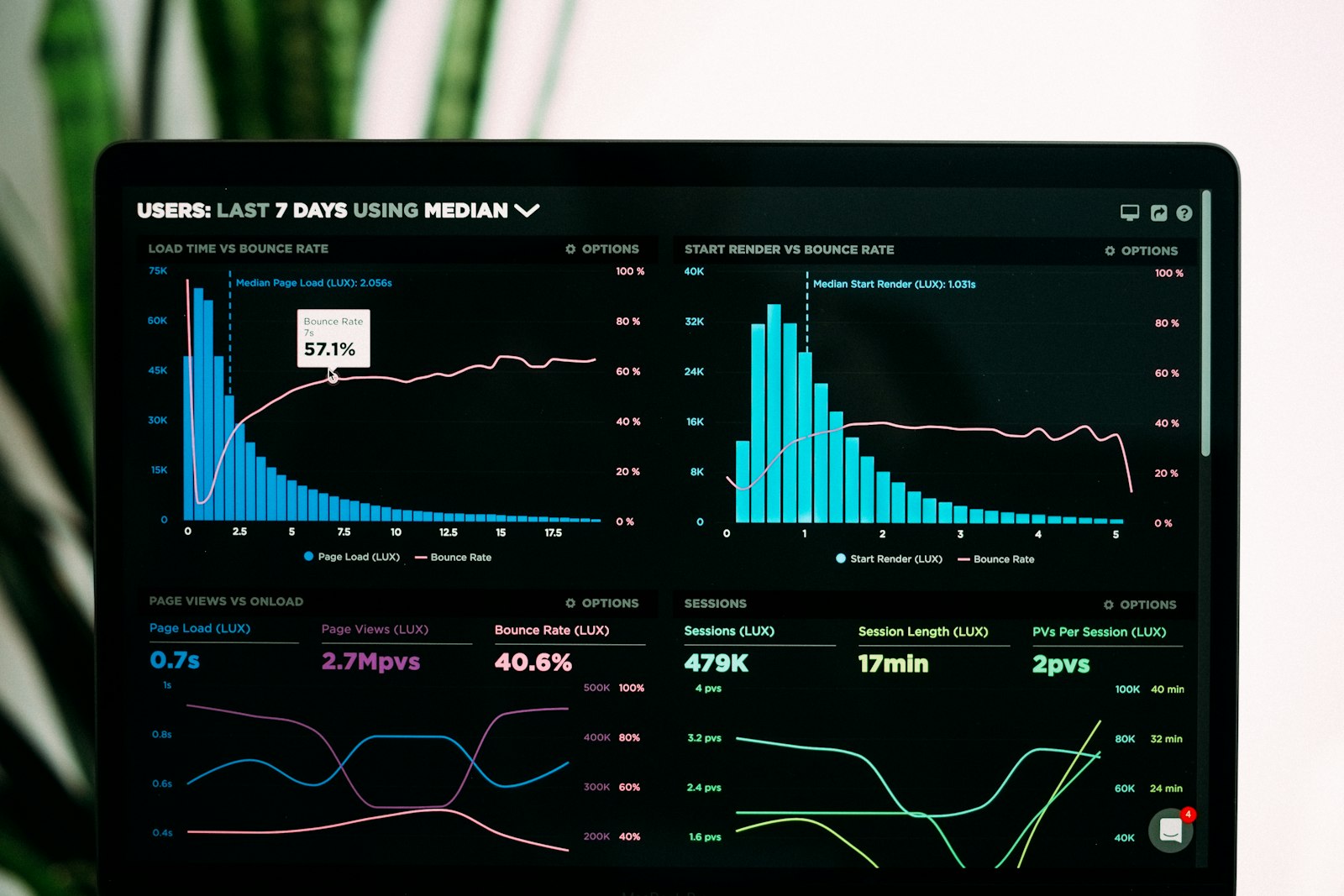
Hero image: Photo by Luke Chesser on Unsplash